ColdFusion Builder 2 is free for 60 days. But beyond this trial period, you can continue to use the IDE, but with limited features. How's that?
How does ColdFusion Builder switch to Express Edition?
After the trial expires, when you launch ColdFusion Builder, you get the following prompt:
How does ColdFusion Builder switch to Express Edition?
After the trial expires, when you launch ColdFusion Builder, you get the following prompt:

Also, the following message is displayed:


In the Adobe ColdFusion Builder Trial Screen, you have the following two options:
- Purchase ColdFusion: Click Buy Now button to purchase license.
- Continue using the Express Edition: Exit the screen by closing it. After you close the screen, ColdFusion Builder automatically switches to Express Edition, the light weight free version of the tool.
The following table shows the major feature differences between the two editions.
Note that the list attempts to only list the key features. Some features may be missing in both the columns.
| Express Edition | Full-featured Edition |
| Editor | Editor |
| Code assist | Code assist |
| Syntax highlighting | Syntax highlighting |
| Server Manager | Server Manager |
| RDS | RDS |
| Run Preview Page | Run Preview Page |
| Extenstions (except callback and code assist contribution) | Extenstions (except callback and code assist contribution) |
| Code assist for extensions | |
| Code insight | |
| Extension callback | |
| Connection to remote server | |
| Quick fix | |
| Debugging remote projects | |
| Refactoring | |
| ColdFusion search | |
| Code formatting | |
| FTP support | |
| Log viewer | |
| Local file browser | |
| Code hyperlinks | |
| Hover help |
How will I recognize if I am using an Express Edition of ColdFusion Builder?
- When you attempt to use the features such as Quick Fix, Refactoring Advanced Search & Replace, Code Formatting, FTP Connection, you are prompted with the following message:
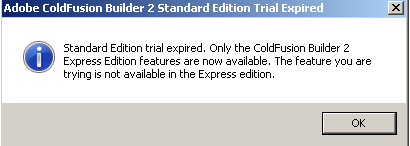
- For extensions, you won’t have Code Assist and Callback features working.
- When you try to add server in the Server Settings dialog box, the option to select Remote Server is disabled.
- You won't see the remote server that you added to ColdFusion Builder 1workspace or ColdFusion Builder 2 workspace.
- You cannot use Code Insight.
- You cannot see the Log Viewer & Local File Browser.
- If you verify the log (<ColdFusion Builder Workspace path>\.metadata\.log), you can see the following message:
!MESSAGE Standard Edition trial expired. Only the ColdFusion Builder 2 Express Edition features are now available. Features such as Code Assist for Extensions, Remote Server & Remote Projects, Code Insight, Quick Fix, Refactoring, Advanced Search & Replace, Code Formatting, FTP Connection, Log Viewer & Local File Browser are not available in Express Edition. To use Standard Edition that has all the features, enter the license key and restart ColdFusion Builder. To continue using the Express Edition, close the License window.
